Opinionated Software Development (Business Central)
Opinionated Software Development for BC Customers
If you are the CEO, CFO, or Head of IT in a company that uses Microsoft Dynamics 365 Business Central, then this article is written for you.
I am opinionated about how to write extensions and apps for Business Central. And you too should have a strong opinion about how we develop these solutions.
My inspiration comes from Ruby on Rails and from pure frustration when auditing customer solutions. Especially those recently migrated from NAV.
Ruby on Rails
Ruby on Rails is a full-stack framework for building amazing web apps. And it is famously opinionated. Rails provides strong conventions for how applications should be built. Its creator, David Heinemeier Hansson (DHH), deliberately promotes this philosophy: make sensible choices based on decades of software-development experience, and let developers focus on the business problem.
You asked for bad code
The customer or the manager asked for bad spaghetti code, with no tests, hard to maintain and understand. Then they asked the developer to ignore every rule, convention, and standard. Instead, they insisted that they invented their own patterns. They further asked that the development be done by people with no software education whatsoever as long as they called themselves developers or sometimes senior developers.
Of course not, so how did we end up here? Precisely because the customer or the manager did not explicitly ask for quality, modernization, tests, or to follow best practices. HR hired these developers based on years of experience, with little interest in diplomas.
Was price always the only topic discussed? Apparently. Robustness was definitely never in the Statement of Work.
This is what is about to change
Additional Reading
Opinionated
So what should you ask for? What should you have a strong opinion about? And why?
Take the following list to your Microsoft partner and simply ask:
How are we doing compared to this list?
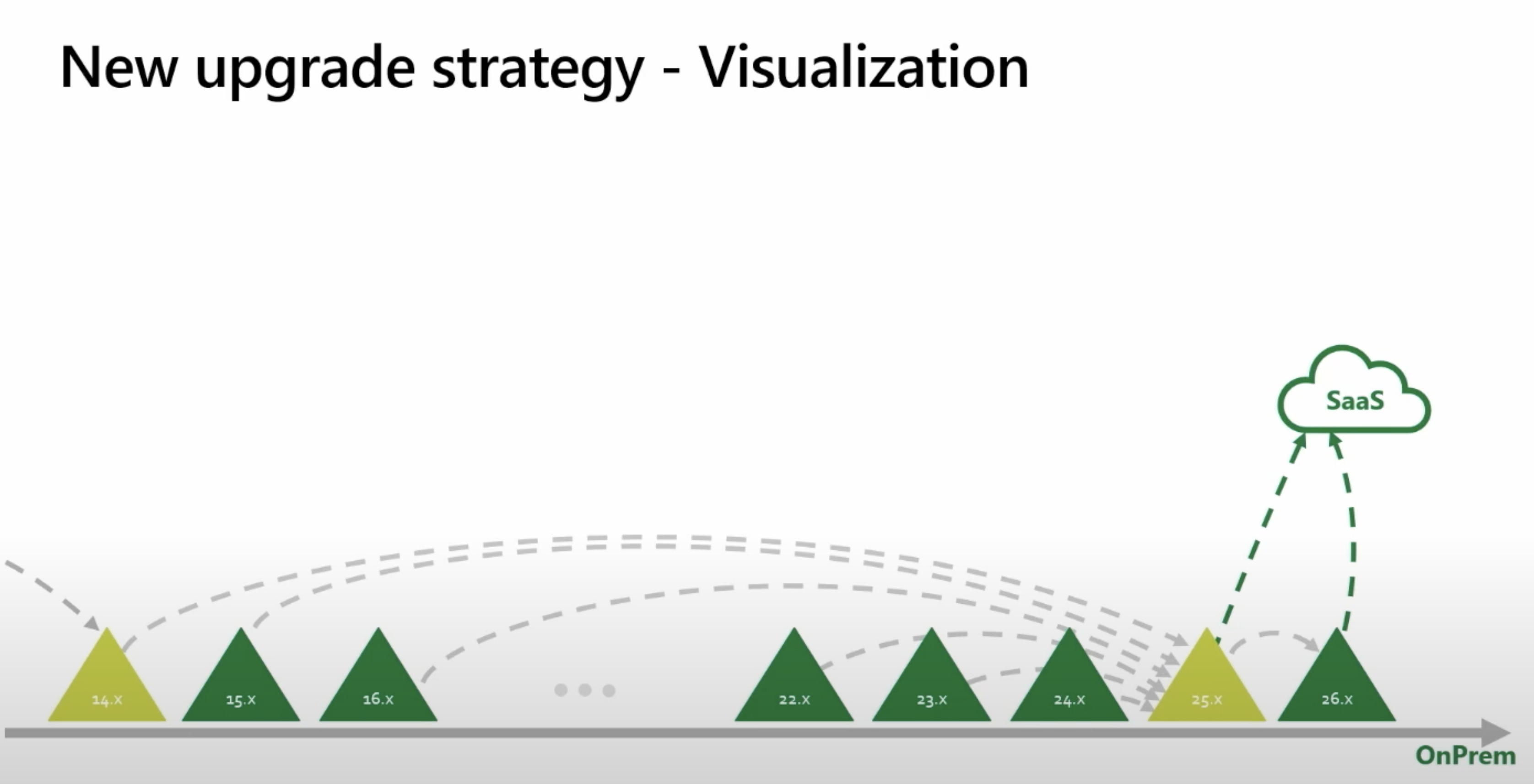
Update Business Central every month
Let us start here. This might be the single most important difference between Business Central in the Cloud and any on-premises solution.
Why?
You are paying for a solution, for the maintenance of this solution, for new features in this solution, and you want a return on this investment!
But what you don’t know are the risks you were taking. One of the most dangerous situations in the past, when you were not continuously upgrading, was that you ended up with a unique combination of versions. You were on a specific version of Dynamics NAV, some service pack or hotfix version of Continia, some random version of an industry-specific solution and so on. Basically creating a unique combination of apps never tested together.
With Business Central in the Cloud, everyone is on the same or very few versions. This reduces the risk of unknown combinations.
Additional Reading
- Customizations in Maintenance Mode
- Breaking Changes in Version 26
- The urgent need to modernize Business Central development
Don’t be tempted to skip minor versions and only update every six months or once a year.
Automated Tests of Business-Critical Logic
This leads us to automated tests. Tests are simply an essential and integral part of any modern development framework.
Next Level Testing
Ask for:
- Performance Testing
- Page scripting tests
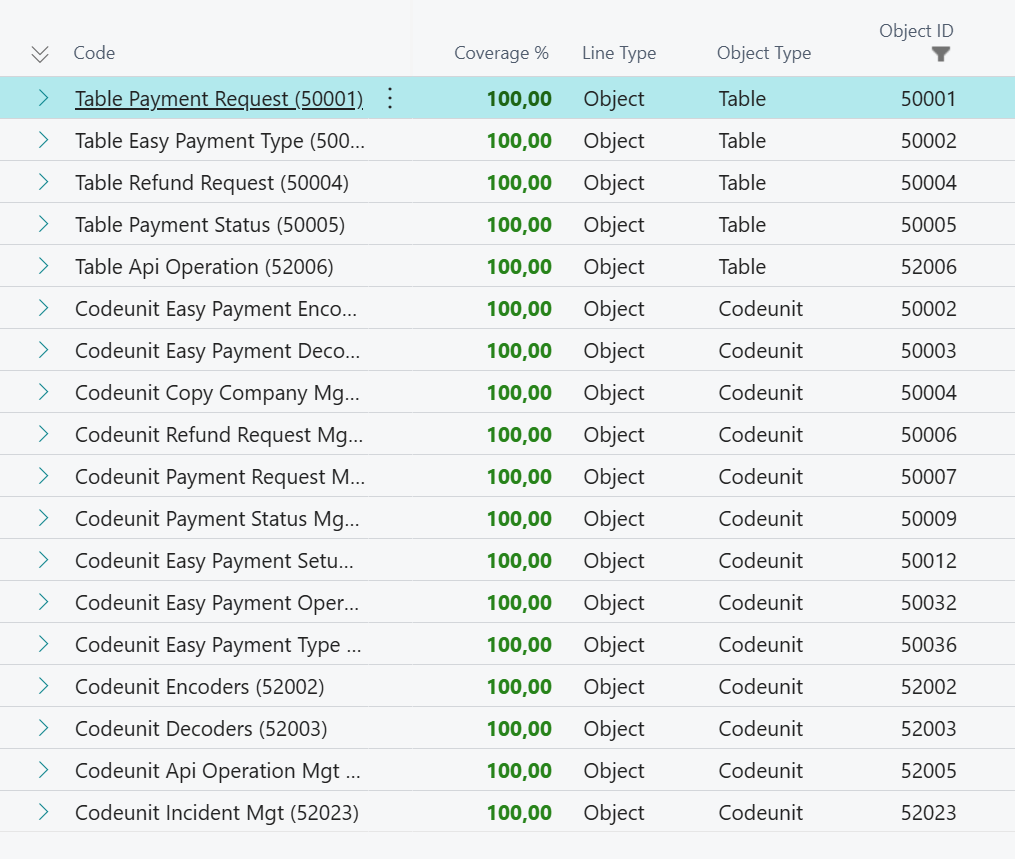
- 100% code coverage of core functionality
Why?
You cannot ask the entire company to test the entire solution every last Friday of the month. This is not going to happen. It wouldn’t give you any guarantees for quality anyway. Quality is not something you accidentally add at the end of a process. This is just as true for Business Central development as for any other process.
Additional Reading
- Automated Tests in AL
- Temporary Tables in Tests
- Environment Interfaces – Part 1
- Preconditions and TryFunctions in AL
- Breaking Changes in Version 26
Don’t be tempted to skip this part to save money or time.
Modern Code Architecture
Here is what to ask for:
- Independent logic should be organized in separate Apps
- Within apps, features are organized in separate folders
- Business logic by feature is organized in Codeunits
- Cleanup and remove logic that is no longer used
Why?
Well-organized code is a prerequisite for keeping maintenance and test writing affordable. It will save you money over time.
- Now the developer can focus on testing the logic in these Codeunits.
- This will allow you to implement Namespaces.
Modular code is easier to read, understand, update, and maintain. It will be easier to identify and remove parts of the code that are no longer used.
This is also how Microsoft is organizing the Business Central code. It is simply best practice.
Additional Reading
- Namespaces in AL
- Environment Interfaces – Part 1
- Record Links and Anti-patterns
- Preconditions and TryFunctions in AL
Don’t be tempted to keep the old organization by Object Type.
Get your code on your GitHub
Take ownership of your own code. This is fundamental.
Why?
- The code in a custom-made extension or app is the property of the customer. So it is your code.
- The build pipeline ensures that all the tests are run each time something changes.
- Control who has access to your code.
- New requirements can be described and managed using GitHub Issues.
- Know who changed what and when. Who approved the Pull Request?
- Actively use AI to review changes, understand new requests, and even develop simple changes.
- Use AL-Go for GitHub.
- Enable and facilitate collaboration around the solution.
Don’t just use GitHub to store the code.
Additional Reading
Code Analyzers and Naming Conventions
- Activate code analyzers and ensure settings are included in the project.
- Enable Automated cleanup on save or on a regular basis.
- Naming Conventions for (especially) Fields and Objects must be followed.
- Ask to see the
settings.jsonfile in the project.
The standard code analyzers are:
Next Level Code Analyzers
AL Cops is adding six new analyzers to the standard three. These are, in my opinion, an absolute must-have.
Why?
Business Central development and GitHub enable collaboration. This is great. Multiple developers can work on the same project. If one is on vacation, another can jump in. With good code organization and tests, we are in a good place. But …
We want the developers to follow the same conventions, the same coding guidelines, the same rules. This is as true today as it was in 1994 when the DOS version of Navision was still around.
The rule: When looking at the code, you should not be able to tell who wrote it.
This is of course completely fundamental for allowing AI to do some of the coding.
Additional Reading
- How to make a code review
- Rulesets in Business Central
- There is a new sheriff in town
- Advanced CodeCop Analyzer and Custom Rulesets

Usability
With Business Central, we can make the customer solution much more user-friendly.
Ask for usability tests. Enable user feedback and keep a budget for improving usability.
This means asking that these properties be filled in with useful information.
AboutTitleandAboutTextare used for onboarding. (NEW)HelpLinkon Pages points to the relevant help page on your website.Tooltipson Tables and Pages give the user additional information on the page.- All development must be in English, and thus Translations are necessary.
Your solution should have its own website with documentation. Ask that it is written in
Markdownformat and is part of the project.
Optional
- Ask that the solution has integrated support, event logging, and telemetry.
- Extend the documentation with a Demo script and information on the architecture. (Use Mermaid).
Why?
Ask your users why good usability is good business. They will tell you.
Security Evaluation
Keep your employees, your solution, and your company safe.
- Make sure the users, and in the future AI, have the right permissions to view and change data.
- Make sure that only qualified developers have access to your code.
- Make sure that the code is safe.
Transparency around AI in Development
AI will have a role in developing and maintaining your solution. Ask for transparency in how it is used.
Why?
AI will play a bigger and bigger role in software development, and you have the right to transparency about what exactly you are getting for your money.
Modernization
Ask that your solution is being modernized.
Why?
Microsoft is continuously introducing new development concepts like Namespaces, Interfaces, and Dictionaries.
New RuleSets are being added, enabling developers to find performance issues and potential runtime errors before they happen.
Making these improvements and adopting these new concepts on an ongoing basis will keep your solution modern and up to date.
Additional Reading

Evaluate Technical Debt
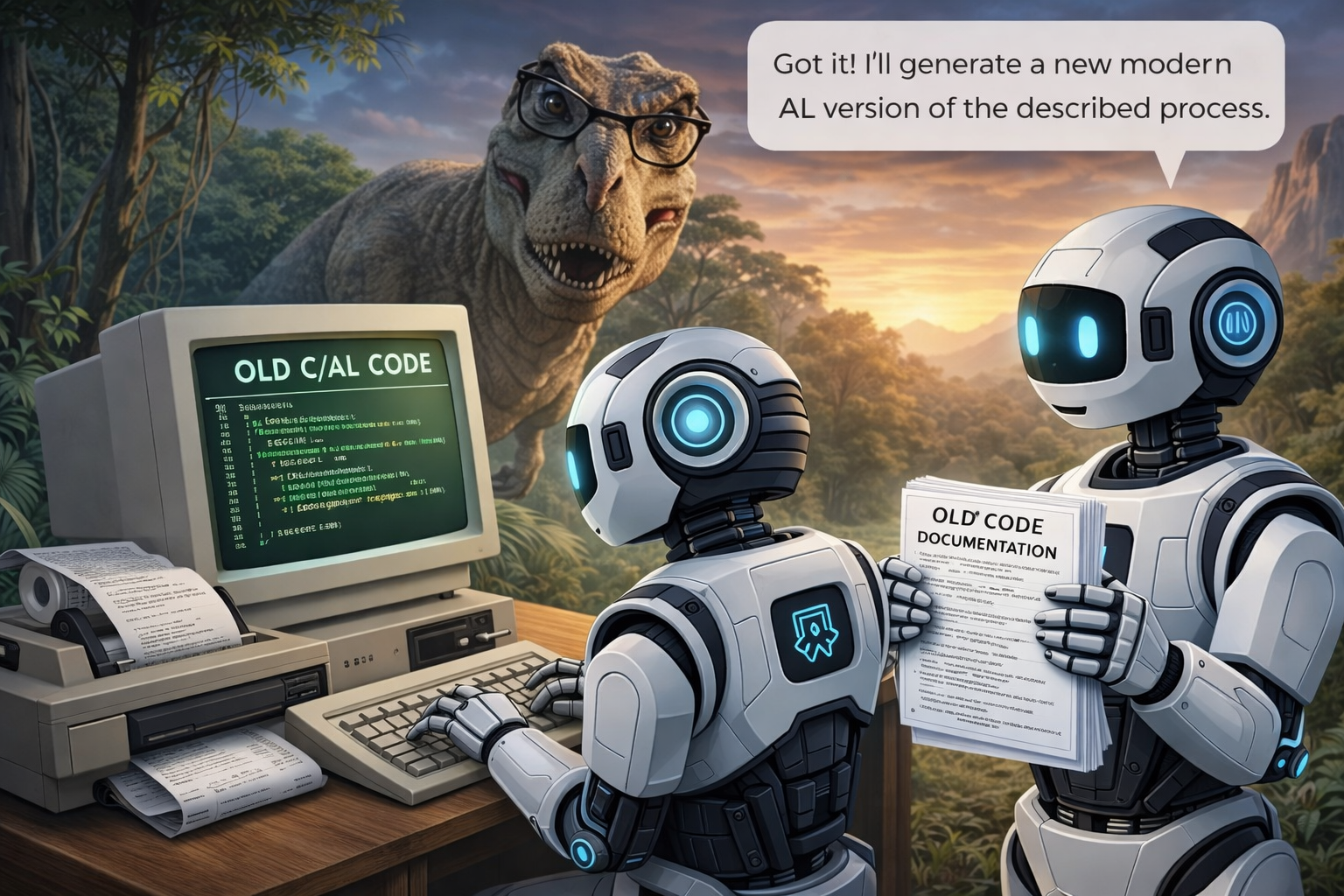
Ask for an evaluation of technical debt. Especially if you upgraded your solution from Dynamics NAV or BC on-premises. The developer working in the old Object Designer did not have all the help we have today. This means that code converted from C/AL to AL is not always optimal.
Try to find out how far back the oldest changes in your BC solution go. For some organizations, this might date back 30 years.
Why?
Business Central in the Cloud lives in a dynamic environment. Technical debt is building up, and it will slow you down and cost you money.
Additional Reading
Ask for software-educated developers
- Ask who will be working on your solution.
- Ask for their CV and proof of relevant software education.
- Do not assume that years of Dynamics NAV experience is enough.
- Ask that the developers go to conferences and actively follow training sessions.
Why?
Many self-taught NAV developers can still customize BC, but have never worked with modern concepts like Dictionaries, Namespaces, or Interfaces. From my audits, I typically see a lack of understanding of the difference between something that works and something that is robust, testable, maintainable, customizable, and easy to support.
This requirement is aligned with everything mentioned above.
Developing Business Central extensions requires modern software development skills.
Additional Reading
Contact me
These opinions are not a menu you can pick from. They form one coherent vision of modern software development for Business Central. Monthly updates only work if your code is tested. Tests only work if your code is organized. Organization only works if your team follows the same rules, owns the code, and keeps modernizing. Usability, security, AI transparency, and qualified developers belong to the same picture. Skip one part, and the rest will not hold. You need all of it.
Getting it right from the start costs almost nothing extra.
Reach out if you need me to audit your solution.
Finn Pedersen
Modern BC Developer
Directions EMEA 2026 in Paris
I have proposed two talks on this subject in two sessions at this conference.
- One for developers and
- One for non-developers, users, customers, management …
Each audience does not necessarily speak the same language or need the same level of detail.